


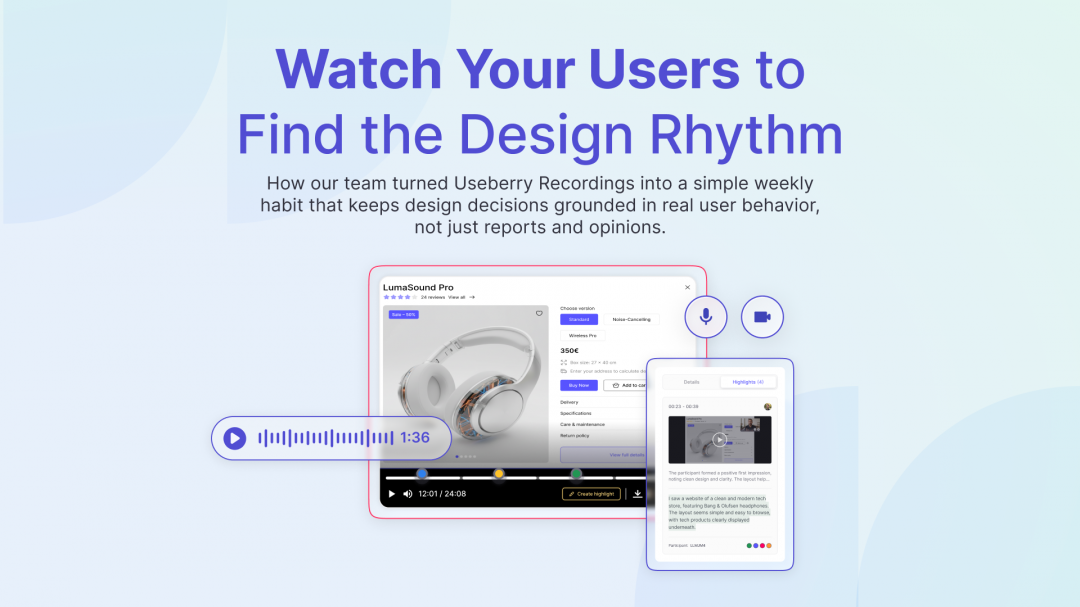
As designers, we talk a lot about “staying close to the user.” In practice, that usually means reading reports, looking at stats, or skimming through feedback docs. All of that is useful, but it still feels like a summary.
What changed our weekly rhythm at Useberry was treating Useberry Recordings as a core design input. When you watch people move through your product, with their own pace and small hesitations, you see a different layer of reality. You stop guessing why something feels off and start seeing exactly where it happens.
It made a big difference for us to incorporate reviewing recordings into our flow and I will walk you through how our design team actually use them in everyday work.
Why We Watch More Than We “Read”
We still go through research summaries, but recordings changed the order of things. Instead of reading first and watching later, we flipped it. For any important flow, we start with a few key recordings.
The reason is simple. A two minute clip of someone trying, failing, recovering, or giving up carries more context than three paragraphs trying to describe the same thing. You hear the small comments like “wait, where am I now” or “I thought this would do something else.” You notice the quiet parts: long pauses, repeated clicks, the moment the cursor just stops.
For me as a design leader, watching these moments keeps opinions grounded. When we meet to discuss a pattern, we are not debating from memory. We have a common picture of how people are actually using what we designed.
Our Weekly Recording Ritual
We keep the ritual light so it survives busy weeks. Here is the basic pattern:
At the start of the week, someone from the team picks a focus. It might be a new onboarding flow, an updated navigation, or a feature that support keeps hearing about. We then pull a small set of relevant recordings inside Useberry, usually three to five (not twenty).
We watch them together in a short session. The goal is not to find every issue in one sitting. We just want to spot where people hesitate, where they look confident, and where expectations do not match what we built. Each person can drop quick notes or tags while we watch.
By the end of the session, we usually have a few clear patterns marked. Maybe people look for a button in the wrong place, or maybe they keep missing an important message. The key is that everyone saw it happen. That shared observation makes follow up decisions much faster.
From Raw Recordings to Highlight Reel
Full recordings are rich, but they are also long. That is where highlights, tags, and highlight reels inside Useberry Recordings make a big difference.
When someone spots a key moment, they turn it into a highlight instead of just noting down a timestamp to dig through later. Adding a clear note like, “user cannot find pricing,” or “user misreads this label.” We add a simple tag to group similar moments. Over time, tags like “navigation confusion” or “missed CTA” become a quick way to review these relevant parts.
Once we have several related highlights, we stitch them into a short highlight reel. Each reel tells one simple story. The reel is usually just a few minutes long, but it gives us a clean way to share the story without asking anyone to sit through full sessions. Which brings me to the next point:
Bringing Other Teams Into the Room
The best part of using highlight reels is how easy it becomes to involve other teams without asking them to become researchers.
For developers, reels are a quick way to connect an “error” to real behavior. A bug report that says “users do not understand the error state” is vague. A reel that shows three people all reacting with the same confusion is concrete.
For marketing, recordings help align messaging with reality. When they watch people try to describe what a page is about in their own words, it becomes much easier to refine headlines and supporting copy.
In all cases, the reel does the hard work of convincing. We spend less time arguing about whether a problem is real and more time deciding how to solve it.
What Changed After a Few Months of Doing This
We have not been using highlight reels for years, but even after a few months, a few clear shifts stand out.
First, design discussions got calmer. When everyone has seen the same recordings, there is less pressure to defend a personal opinion. We are reacting to the same evidence.
Second, quiet voices in the team have more space. Watching a recording together gives everyone a common starting point. You do not need to be the loudest person in the room to say “did you notice how long they hovered there” or “this part looked heavier than it should.”
Third, we make smaller changes more often. Because recordings and reels are easy to reach, we do not wait for a perfect research cycle to adjust something that clearly causes friction. We fix, test again, and keep iterating.
For us, Useberry Recordings are not just a feature. They are a habit that keeps design close to reality. Reports still matter, and metrics still matter, but a few minutes of real user behavior each week keeps everything else honest.
Turn Recordings Into a Weekly Design Habit
You do not need hours of research to stay close to your users.