

Hello everyone,
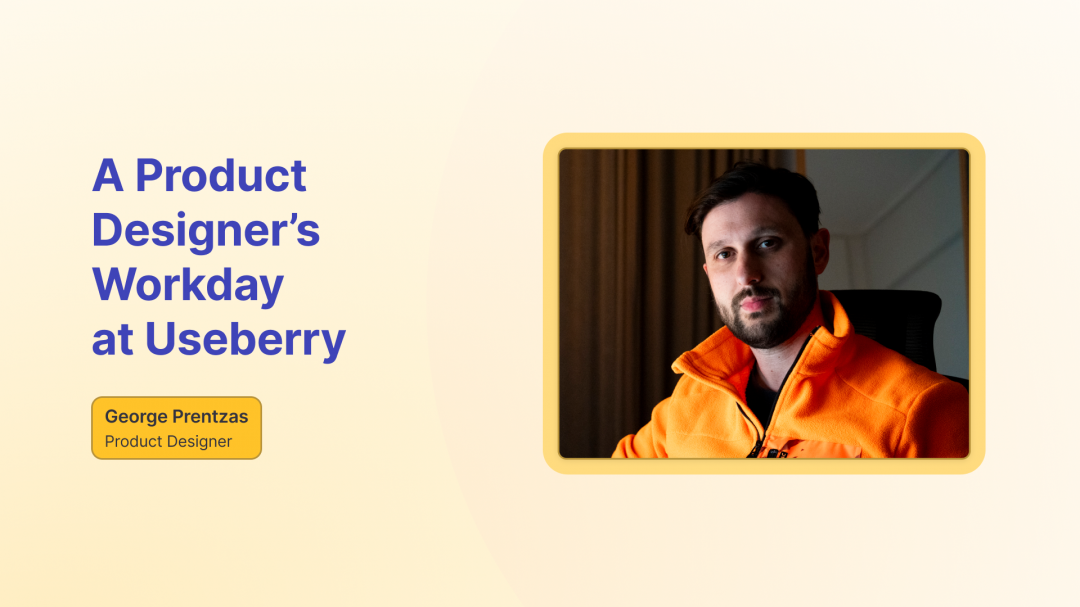
My name is George. Or Jorge as my colleagues call me. 🙂
I’m a Product Designer at Useberry. My days usually sit right in the middle of creativity and problem solving. Some days I’m shaping a new feature from the first sketch. Other days I’m refining the details that make a product feel intuitive. Most days are a mix.
8:00 AM: Start the day, clear the head
My day usually starts around 8:00 AM. I wake up, have breakfast, and take a quick look at what’s planned, both for work and personal life. I like having a clear idea of what’s ahead.
Then I ride my motorcycle to work, usually listening to the news. It’s a simple routine, but it helps me arrive focused and energized. There’s something about the routine that flips the switch from “morning mode” to “let’s build.”
Almost every day, my coworkers and I meet at a coffee shop near the Useberry office. We grab coffee, chat for a bit, and ease into the day before heading in. Usually it’s just a few minutes of catching up and chatting but sometimes someone casually mentions a challenge they ran into, and by the time we are walking back to the office, the brainstorming is already started.
10:00 AM: Priorities, alignment, and a bit of inspiration
We officially start at 10:00 AM. I usually sync with George Kordatos, our Head of Design, to go over ongoing projects and priorities. It’s the kind of check-in that saves a lot of time later. What are we pushing forward today, what needs a second look, and what decisions are waiting on input.
Before diving into focus mode, I like to catch up on tech news, especially anything related to AI, new products, and Figma feature releases. Some mornings it’s a quick scan. Other mornings it turns into that classic moment of “wait, when did Figma add this?” followed by immediately opening it to see if it can solve a small pain we’ve had for weeks. I also look for design inspiration on Mobbin, Pinterest, or Dribbble. Mobbin is my latest favorite.
Some days begin with early meetings, either with the dev team to align on implementation details or with Harry, our Senior UX Researcher, to review insights from recent product tests.
Sessions with Harry are always insightful. What often starts as a simple test turns into a valuable moment of learning. Time and time again, these sessions help us uncover small details that make a big difference and move the product one step forward. It’s a reminder that great products evolve through continuous learning and iteration.

Deep work: sketches first, then Figma
If there are no early meetings, I jump straight into deep work. Depending on the day, I might be working on one, two, or even three different projects. That’s one of the things I enjoy most about Useberry. Every day brings something different.
When we’re building a new product or feature, I really enjoy the early stages. Researching, analyzing data, understanding the requirements, and reviewing customer feedback from support helps me see the full picture. That’s often where the most important pain points appear.
A small moment I love in that phase is when you notice the same thing coming up more than once. It could be a repeated question, a consistent confusion point, or a “this should be easier” message from users. When you see that pattern, you know you’re not designing for a hypothetical problem. You’re designing for something real.
Starting with research and quick sketches helps me define the user flow before polishing the UI. These early drafts save us valuable time and show us exactly the path we need to follow. It’s the smartest way to test ideas using just simple shapes.
Rough sketches on paper helps me think more clearly and understand the problem before moving into Figma. There’s also something freeing about paper. You can explore options quickly without getting too attached. It’s just shapes and ideas.
From there, we brainstorm as a team and shape the direction together. That’s usually where the work gets sharper. Someone will point out an edge case. Someone will ask a question that changes the structure. Or we’ll realize we can simplify the whole thing by removing one step instead of redesigning it.
Then I move into Figma and start making it real. This is where I focus a lot on consistency and clarity. If the team can grasp how something works instantly, I know I’m on the right track.

One of my favorite moments: presenting to the dev team
One milestone I really enjoy in every project is presenting the feature in detail to the development team.
It’s the moment when everything clicks into place. You stop looking at screens as “design” and start seeing the feature as something that’s about to exist.
It’s also a moment where details surface in a good way. A developer might ask, “What happens here if the user does X?” or “What does this look like when there’s no data?” Those questions are gold. Sometimes I spot something I might have missed while answering them, and I can fix it before it becomes a problem later.
And it’s exciting because it means we’re just a few weeks away from seeing the design come to life. That transition from idea to implementation is always a great feeling.
2:00 PM: lunch, coffee, and keeping the momentum
Around 2:00 PM, we take a short lunch break, grab another coffee, and then continue working until around 6:00 PM, when we wrap up for the day.
One important detail I forgot to mention is that I usually tease George about the music he plays in the office. It’s become part of the routine. You can almost measure the day by it. If the playlist changes, something important is happening.
Why I enjoy it
What I enjoy most about being a Product Designer at Useberry is the balance between creativity and problem solving. Our decisions are based on real user data, which makes the design process meaningful and impactful. It’s not about guessing or debating opinions endlessly. It’s about learning, iterating, and improving.
Every day is a little different, and that’s what keeps it exciting.
Feel free to contact us!
We’d love to know your experience with Useberry and we will be excited to hear your thoughts and ideas.